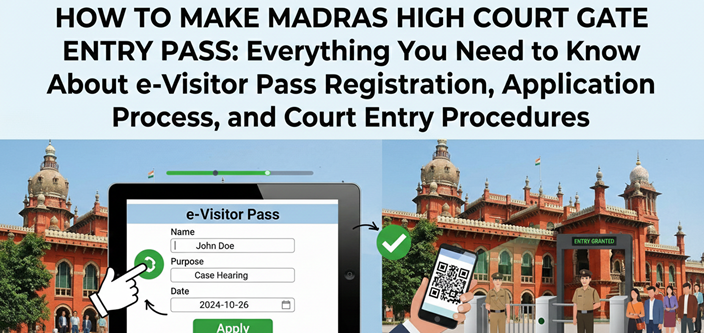
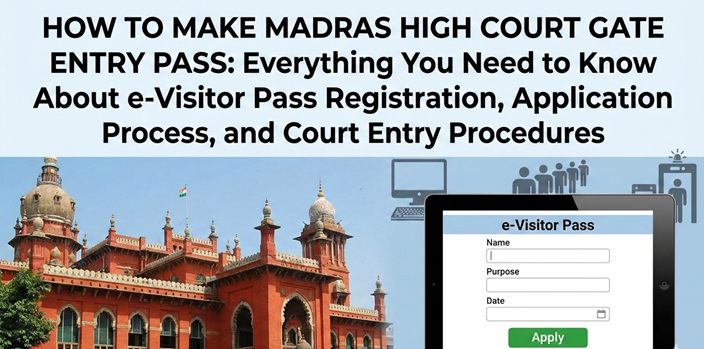
How to make Madras High Court Gate Entry Pass: Everything You Need to Know About e-Visitor Pass Registration, Application Process, and Court Entry Procedures
Introduction: Accessing the Historic Corridors of Justice in Chennai and Madurai
Walking through the magnificent Indo-Saracenic architecture of the Madras High Court requires more than just curiosity about the law—it demands proper authorization through the Madras High Court gate entry pass system. Whether you’re an advocate practicing at this prestigious institution, a litigant appearing for your case, a law student researching landmark judgments, or a visitor keen on observing judicial proceedings, understanding how to secure your entry pass is fundamental to accessing one of India’s oldest and most distinguished high courts.
The Madras High Court, established in 1862 under the Indian High Courts Act, stands as a testament to India’s rich legal heritage and colonial history. With its principal seat at Chennai (formerly Madras) and a bench at Madurai serving southern Tamil Nadu, this court handles thousands of cases annually, making efficient entry management essential for security and smooth operations. The implementation of the e-Visitor Pass system in January 2023 revolutionized how visitors access the court premises, introducing digital convenience while maintaining the stringent security protocols mandated after the Central Industrial Security Force (CISF) took over protection duties in 2016 .
This comprehensive guide delves deep into every aspect of obtaining your Madras High Court entry pass, from online registration to physical verification at the multiple entry gates. We’ll explore the nuances that most articles miss—the practical challenges faced by first-time visitors, the insider tips that regular practitioners swear by, and the critical details that ensure your visit proceeds without unnecessary delays or embarrassment at security checkpoints. Whether you’re searching for how to make gate pass of Madras High Court or seeking clarity on the Madras High Court visitor pass online process for the Chennai principal seat or Madurai bench, this article serves as your definitive, practical resource.
Understanding the Madras High Court e-Visitor Pass System
Historical Context and the CISF Security Era
Before 2016, entering the Madras High Court premises was relatively straightforward, with local security managing access. However, following a Madras High Court order later confirmed by the Supreme Court, the premises were brought under CISF protection—a move that significantly tightened security protocols . While this enhanced safety, it created considerable inconvenience for the thousands of government officials, advocates, litigants, and visitors who daily needed access to the court.
For seven years, visitors endured cumbersome manual processes, long queues at entry gates, and paper-based verification systems that often resulted in delays, especially during peak morning hours when multiple courts convened simultaneously. The introduction of the e-Visitor Pass system on January 1, 2023, marked a watershed moment in judicial accessibility, aligning the Madras High Court with digital initiatives seen in other major high courts across India .
This digital transformation wasn’t merely about convenience—it addressed critical security concerns while streamlining visitor management. The system allows visitors to generate their passes remotely, reducing congestion at entry points and enabling real-time tracking of visitors within the premises. For frequent visitors, particularly government pleaders, public prosecutors, and practicing advocates, this innovation meant saving precious hours previously lost in queues, time that could be better spent preparing for arguments or consulting with clients.
The Madras High Court e-Visitor Pass system operates through the official court website, offering a user-friendly interface that even those with basic digital literacy can navigate. However, as with any new system, understanding its intricacies requires detailed guidance—guidance that this article provides comprehensively.
Types of Entry Passes and Access Categories
Understanding the categorization of entry passes helps you apply for the correct authorization and avoid confusion at the gates:
1. Visitor/Litigant e-Pass: The most commonly sought category, intended for parties appearing in person, witnesses, or individuals attending court proceedings. This Madras High Court gate entry pass requires case details or purpose specification and is valid for single-day entry only .
2. Advocate Monthly Pass: For registered advocates practicing regularly at the High Court. Unlike the daily visitor pass, this requires application through the Bar Association and provides extended validity, typically one month, with specific entry gate privileges .
3. Law Student Pass: Special category for law students requiring regular access for research or internship purposes. Requires institutional recommendation and has specific application forms available on the court website .
4. Senior Advocate Entry Card: Permanent or long-term entry cards issued to designated Senior Advocates, recognizing their distinguished status at the Bar .
5. Government Official Pass: For officials from various government departments who need regular access for official duties, often processed through departmental coordination.
6. Vehicle Pass: Separate authorization for vehicles entering the court premises, requiring additional documentation including vehicle registration, driver details, and specific justification for vehicle entry.
Step-by-Step Guide: How to Apply for Madras High Court Gate Entry Pass Online
Prerequisites and Essential Preparation
Before initiating your Madras High Court gate pass online application, thorough preparation ensures a smooth process without last-minute hassles:
Required Documents and Information:
-
Active Mobile Number: Essential for receiving the One-Time Password (OTP) for verification and subsequent pass-related communications
-
Valid Photo ID: Original document required from these options: Aadhaar Card, Bank Passbook, Departmental ID (for government employees), Driving License, or other government-issued identification
-
Recent Passport-Sized Photograph: Digital copy in specified format, typically JPG or PNG
-
Case Details (if applicable): If visiting for a listed case, keep your case number, party names, court hall number, and case type handy
-
Advocate Information (if visiting counsel): Name, chamber number, and contact details of the advocate you’re meeting
-
Department Details (for officials): Department name, designation, and purpose of visit
Technical Requirements: While the system works on smartphones, using a computer or tablet with a stable internet connection provides a smoother experience, especially when uploading documents. Ensure your browser is updated Google Chrome, Mozilla Firefox, or Microsoft Edge work best. The official portal is optimized for these browsers and may face compatibility issues with older versions of Internet Explorer.
Timing Considerations: Generate your pass preferably the evening before or early morning of your visit date. While the system allows same-day generation, network congestion during court hours (8:30 AM – 10:30 AM) can cause delays. Additionally, having your pass ready in advance reduces morning stress and allows you to focus on your court business.
Detailed Application Process for Chennai Principal Seat
Step 1: Accessing the Official Portal
Navigate to the official Madras High Court website at www.mhc.tn.gov.in or hcmadras.tn.gov.in. Look for the e-Services or Visitor Pass section, typically prominently displayed on the homepage or under the services menu . The direct link for the visitor pass system is usually mhc.tn.gov.in/eservices/hcvcpass/ .
Critical Security Check: Ensure you’re on the official government domain (.gov.in). Phishing sites mimicking court websites have been reported. Look for the secure HTTPS connection and verify the URL carefully before entering personal information.
Step 2: Bench Selection
The Madras High Court operates from two locations:
-
Principal Seat: Chennai (Madras)
-
Madurai Bench: Madurai
Select the appropriate bench based on where your case is listed or where you need to visit. The Madras High Court gate pass system maintains separate databases for each location, and passes generated for Chennai are not valid at Madurai and vice versa .
Step 3: Visitor Category Selection
Choose your visitor category from the available options:
-
General Visitor: For litigants, witnesses, or public members
-
Government Official: For departmental visits
-
Advocate: For registered lawyers (though advocates typically use monthly passes)
-
Law Student: For enrolled students with institutional backing
Step 4: Personal Information Entry
Complete the detailed application form with accurate information:
-
Full Name: Enter exactly as it appears on your Photo ID. Discrepancies can cause entry denial.
-
Father’s/Spouse’s Name: Required for additional identification verification
-
Date of Birth: As per your ID proof
-
Gender: Male/Female/Other
-
Mobile Number: For OTP and pass delivery
-
Email Address: Optional but recommended for backup pass copy
-
Complete Address: Residential address with PIN code
Step 5: ID Proof Selection and Upload
Select your Photo ID type from the dropdown menu :
-
Aadhaar Card (most commonly used)
-
Bank Passbook (with photograph)
-
Departmental ID (for government employees)
-
Driving License
-
Other Government ID
Enter the ID number exactly as shown on the document. Upload a clear scanned copy or photograph of the ID proof, ensuring all details are legible. The system typically accepts PDF, JPG, or PNG formats with size restrictions (usually 100KB-500KB).
Crucial Reminder: You must carry the original physical document on the visit day. Photocopies, digital copies on phone, or expired IDs will not suffice for verification at the CISF-manned entry gates .
Step 6: Photograph Upload
Upload your recent passport-sized photograph:
-
Format: JPG or PNG
-
Size: Typically between 50KB to 200KB (verify current specifications on the portal)
-
Dimensions: Standard passport size (35mm x 45mm ratio approximately)
-
Background: Plain white or light-colored preferred
-
Quality: Clear, front-facing, no sunglasses or head coverings (except for religious reasons, which should be clearly visible in the photo)
Common Technical Issue: If upload fails repeatedly, compress your image using online tools or reduce resolution while maintaining facial clarity. Ensure the file name doesn’t contain special characters or spaces.
Step 7: Visit Purpose and Case Details
This section determines additional requirements and helps security assess your application:
Option A: Case-Related Visit
-
Case Type: Select from Civil, Criminal, Writ, Appeal, etc.
-
Case Number: Enter the complete case number including year
-
Party Name: Specify whether you’re Petitioner or Respondent
-
Court Hall Number: Where the case is listed
-
Date of Hearing: The specific date you’re visiting for
Option B: Visit to Advocate/Counsel
-
Advocate’s Name: Full name as registered with the Bar
-
Chamber Number: Located within the court premises
-
Purpose: Consultation, document submission, etc.
Option C: Departmental Work (Government Officials)
-
Department Name: Your government department
-
Designation: Official position
-
Purpose: Official work description
Option D: General Observation/Research
-
Specific Purpose: Detailed reason for visit
-
Duration: Expected time inside premises
Step 8: Date and Time Selection
Select your intended visit date. The Madras High Court e-Visitor Pass is typically valid only for the specific date generated . Some versions of the system may offer time slot selection to distribute visitor load—choose according to your court hearing time or convenience.
Step 9: Review and Verification
Carefully review all entered information. Mistakes in case numbers, names, or ID details can lead to entry denial or delays at the gate. Once confirmed:
-
Accept the terms and conditions
-
Click “Generate Pass” or “Submit Application”
-
The system processes your application (usually takes 10-30 seconds)
-
Your Madras High Court entry pass generates in PDF format
Step 10: Download and Multiple Backups
-
Download the PDF immediately to your device
-
Save to cloud storage (Google Drive, iCloud, or email to yourself)
-
Take a clear screenshot as backup
-
Print a physical copy (strongly recommended for first-time visitors and those not comfortable with digital displays)
-
The pass will also be sent via SMS to your registered mobile number—save this message
Madurai Bench Specific Procedures
For visitors to the Madurai Bench of Madras High Court, the process is similar but with bench-specific considerations:
Separate Portal Access: While some systems integrate both benches, the Madurai Bench may have specific entry points or slightly modified procedures. Always select “Madurai Bench” explicitly during application .
Limited Entry Gates: The Madurai Bench premises are smaller than Chennai, with fewer entry gates. Your e-pass will specify the designated gate—typically Gate No. 1 for e-Visitor Pass holders.
Reduced Visitor Volume: Being a bench location, Madurai handles fewer daily visitors, making the entry process generally quicker. However, during important case hearings or when the Chief Justice visits, security tightens and early arrival is advisable.
Entry Procedures, Gate Protocols, and CISF Verification
Designated Entry Gates and Access Points
The Madras High Court e-Visitor Pass specifies your entry gate, which varies by location and visitor category:
Chennai Principal Seat Entry Points:
-
Main Gate (Fort St. George side): Primary entry for e-Visitor Pass holders, government officials, and advocates
-
Annexe Gate: For specific court buildings and administrative offices
-
Library Gate: For researchers and those accessing the court library specifically
-
Rear Gates: Usually restricted to court staff and judges
Madurai Bench Entry:
-
Main Entrance Gate: For all e-Visitor Pass holders
-
Administrative Block Gate: For official work only
Critical Protocol: Entering through non-designated gates with an e-Visitor Pass may result in denial of entry and requirement to walk to the correct gate. The CISF personnel strictly enforce gate discipline to maintain security zones .
CISF Verification Process at the Gate
Upon arrival at the Madras High Court:
-
Queue Formation: Join the e-Visitor Pass holder queue, separate from manual pass lines and advocate monthly pass holders
-
Initial Document Check: Present both your e-Visitor Pass (printout or digital PDF) and original Photo ID to the CISF personnel
-
Verification Against Database: The CISF may scan your pass or verify details against their real-time database
-
Security Screening: Place belongings on the conveyor belt for X-ray scanning; walk through the metal detector
-
Physical Verification: CISF personnel may ask basic questions about your visit purpose to verify consistency with application details
-
Entry Stamp/Mark: Some passes receive an entry stamp; others are digitally marked as “used” in the system
Insider Tip: Arrive 45-60 minutes before your scheduled court time. Morning hours (8:30 AM – 10:00 AM) see heavy rush, especially on Mondays, Fridays, and days with high-profile case listings. The CISF conducts thorough checks, and rushing creates unnecessary stress.
Validity, Restrictions, and Re-entry Rules
Strict Date-Specific Validity: Your Madras High Court gate entry pass is valid only for the date generated . Unlike some other institutions, you cannot use yesterday’s pass today, nor can you enter a day early for preparation. If your case gets adjourned, you must generate a fresh pass for the next hearing date.
Single Entry Policy: Standard e-Visitor Passes allow single entry only. If you exit the premises for any reason—whether for lunch, forgotten documents, or phone calls—you need a new pass to re-enter the same day. This policy is strictly enforced to maintain security headcounts.
Time Restrictions: While passes don’t always specify entry times, court working hours are typically:
-
Monday to Friday: 8:30 AM – 5:00 PM (with lunch break 1:00 PM – 2:00 PM)
-
Saturday: 8:30 AM – 1:00 PM (if court is sitting)
-
Closed: Sundays and public holidays
Entry is generally prohibited after 4:30 PM unless you have specific late court business or emergency work.
Premises Movement Restrictions: Your pass authorizes entry but doesn’t grant access to all areas. Restricted zones include:
-
Judges’ corridors and chambers
-
Administrative offices (unless specifically authorized)
-
Record rooms and registry sections (without escort permission)
-
Basement and parking areas (without vehicle pass)
Common Challenges, Troubleshooting, and Solutions
Technical Issues During Online Application
Problem: OTP Not Received
-
Check mobile network signal strength; weak signals delay SMS delivery
-
Wait 2-3 minutes during peak hours (9 AM – 11 AM) due to network congestion
-
Click “Resend OTP” (maximum 3 attempts typically allowed)
-
Ensure your mobile number isn’t on DND (Do Not Disturb) mode, which may block automated messages
-
Try different mobile number if persistent issues occur
-
Clear browser cache and retry with fresh session
Problem: Photo or Document Upload Failure
-
Reduce image file size using online compressors (target under 100KB)
-
Convert image format (use JPG if PNG fails, or vice versa)
-
Check internet connection stability; upload requires consistent connectivity
-
Try different browser or device if compatibility issues persist
-
Ensure filename doesn’t contain special characters (#, $, %, etc.)
Problem: Website Not Loading or Server Errors
-
Verify URL: Ensure you’re on mhc.tn.gov.in or hcmadras.tn.gov.in (beware of phishing sites)
-
Try accessing during non-peak hours (early morning 6 AM – 7 AM or late evening 8 PM – 10 PM)
-
Disable VPN if using one, as government sites sometimes block VPN traffic
-
Check official social media or news for server maintenance announcements
-
Contact court helpdesk if site is down for extended periods
Problem: Case Details Not Found
-
Verify case number format (type/number/year)
-
Check if the case is actually listed on your intended visit date
-
Ensure you’re selecting the correct bench (Chennai vs. Madurai)
-
Try searching by party name if case number search fails
-
Contact your advocate to confirm exact case details
Entry-Related Issues and Emergency Solutions
Pass Generated but Mobile Phone Lost/Battery Dead:
-
If you printed the pass, present the physical copy
-
If you emailed the PDF to yourself, access it from any device
-
Visit the CISF control room at the main gate with original ID proof; they can verify your pass in the database
-
Manual pass counter may issue temporary entry authorization subject to verification (not guaranteed)
ID Proof Mismatch or Discrepancies:
-
Ensure the ID selected during application exactly matches what you carry
-
Minor name variations (spelling differences) may cause issues—carry supporting documents (PAN card, voter ID) showing consistent name
-
For Aadhaar, ensure the printed pass shows correct 12-digit number
-
Expired ID documents are not accepted; renew before court visit
Case Adjourned but Already at Court:
-
If your case was adjourned to a later date but you’re already at the gate with today’s pass, you may still enter for the limited purpose of obtaining the next date or meeting your advocate
-
Generate a fresh pass for the adjourned date immediately for future visits
Forgotten Pass at Home:
-
Access the SMS link sent to your mobile (if SMS not deleted)
-
Show digital PDF at the gate (softcopy is valid if clearly readable)
-
If no digital access, visit the manual pass counter with original ID and case details (subject to queue and time availability)
Advanced Strategies for Frequent Visitors
For Advocates and Law Firm Associates
Monthly Pass Application: Daily e-Visitor Pass generation becomes cumbersome for regular practitioners. Apply for the Monthly Pass to Advocates through the prescribed form available on the Madras High Court website . This requires:
-
Enrollment certificate with the Bar Council of Tamil Nadu and Puducherry
-
Current practicing certificate
-
Passport-sized photographs
-
Chamber allotment proof or office address within court premises
-
Recommendation from senior advocate (in some cases)
-
Background verification by CISF
Benefits of Monthly Pass:
-
Dedicated entry gate (usually faster queue)
-
Multiple entry privileges same day
-
No daily online application hassle
-
Recognized status at security checkpoints
Bulk Pass Generation for Firm Staff: For law firms handling multiple cases daily, designate one paralegal or junior associate to generate passes each morning for all team members visiting that day. Maintain a shared digital folder with case details for quick reference and backup.
For Litigants and Party-in-Person
Managing Multiple Hearing Dates: If your case has consecutive hearings, generate passes for all dates in advance (system usually allows up to 7 days advance generation). Store all PDFs in a dedicated phone folder labeled “MHC Passes” with date-wise subfolders for easy retrieval.
Family Accompaniment Protocol: Each accompanying family member requires a separate e-Visitor Pass, including minors above 5 years (infants in arms may be exempt—verify current rules at the gate). Generate passes for all accompanying persons using their respective mobile numbers and IDs. Carry marriage certificates or birth certificates if surnames differ, to establish relationship if questioned.
Senior Citizens and Differently-Abled Facilities:
While the standard application process applies, these categories receive priority at CISF security checks. Mention your status in the “Purpose” field if applicable. Wheelchairs and assistance are available at main gates—request help from CISF personnel or court staff.
For Law Students and Legal Researchers
Research Pass Application: For extended research requiring multiple visits over weeks, apply for a temporary research pass through the court’s Research Cell or Library. This requires:
-
Formal letter from your law college/university on institutional letterhead
-
Research proposal outlining scope, duration, and specific case laws being studied
-
Faculty supervisor recommendation and contact details
-
Police verification (for long-term passes exceeding one month)
-
Interview with court librarian or research coordinator
Court Observation Best Practices: When selecting purpose, choose “General Observation” or “Research” and specify “Observation of Court Proceedings.” Carry your student ID along with the government ID specified in the application. Dress formally—collared shirts and trousers for men; salwar kameez, saree, or formal western wear for women. Shorts, jeans, t-shirts, and casual footwear are generally discouraged and may attract scrutiny.
Integration with E-Filing and Digital Court Ecosystem
Connection to efilingcourt Platforms
The Madras High Court gate entry pass system operates within the broader digital court infrastructure, including efilingcourt initiatives. Understanding this ecosystem enhances your overall court experience:
Case Status Verification Before Visit: Use efilingcourt resources or the Madras High Court’s e-filing portal to verify your case status before generating a gate pass. If your case was adjourned, disposed of, or listed for virtual hearing, you save unnecessary travel. The e-filing system provides real-time case status updates, cause lists, and order copies.
Virtual Hearing Participation: Post-pandemic, many hearings occur virtually through video conferencing. Check efilingcourt notifications or the High Court’s daily cause list to confirm physical appearance is required before generating a gate pass. This prevents unnecessary travel when your matter is scheduled for online hearing.
Document Preparation for Filing: If you’re visiting for physical filing purposes, complete your efilingcourt document preparation before arrival. The e-filing system requires:
-
PDF documents with proper pagination
-
Indexing and bookmarking for lengthy documents
-
Digital signatures where required
-
Proper categorization of pleadings
Having these ready means you can maximize your court visit efficiency, combining entry pass generation with actual filing work at the e-Sewa counters.
E-Sewa Kendras and Digital Assistance Centers
For visitors struggling with digital processes, the Madras High Court operates e-Sewa Kendras within the premises. These centers provide:
-
Assistance with e-Visitor Pass generation for those without smartphones or digital literacy
-
efilingcourt document upload and technical support
-
Printout facilities for digital passes and documents
-
Guidance on using e-filing kiosks
-
Technical troubleshooting for portal issues
Located near the main entry gates, these kendras ensure that digital transformation doesn’t exclude those unfamiliar with technology, maintaining the court’s commitment to access to justice for all.
Security Protocols, Prohibited Items, and Court Etiquette
Understanding CISF Security Measures
The Madras High Court entry pass is your first authorization layer; CISF security screening is the second. Given the high-security nature of the premises and sensitive proceedings, protocols are stringent:
Mandatory Security Screening:
-
All bags, briefcases, laptops, and electronic devices undergo X-ray scanning at multiple checkpoints
-
Walk-through metal detectors at all entry points
-
Hand-held metal detectors for additional screening if alarm triggers
-
Random physical baggage checks by CISF personnel
-
Frisking in some cases, particularly for visitors to sensitive court halls
Prohibited Items (Strictly Enforced):
-
Weapons of any description (including pocket knives, Swiss army knives, pepper spray)
-
Recording devices (cameras, voice recorders, GoPros) without prior written permission from Registrar
-
Large bags, suitcases, or backpacks (small laptop bags and briefcases permitted after screening)
-
Food items and beverages (empty water bottles may be allowed; water dispensers available inside)
-
Tobacco products, lighters, matchboxes
-
Sharp objects including scissors, paper cutters, nail files
-
Liquids in containers exceeding 100ml
Allowed with Declaration or Screening:
-
Laptop computers and tablets (essential for advocates; must be declared and scanned separately)
-
Mobile phones (must be on silent or airplane mode inside courtrooms; photography strictly prohibited)
-
Medical equipment like glucose meters, inhalers (with prescription proof if questioned)
-
Religious items (subject to inspection and approval)
Dress Code and Courtroom Etiquette
Your Madras High Court gate pass grants physical entry, but maintaining decorum ensures continued access and respect for the institution:
Dress Code Requirements:
-
Advocates: Mandatory black and white attire as per Bar Council rules—black coat, white shirt, black trousers for men; black saree or salwar with white blouse for women
-
Litigants/Visitors: Formal or semi-formal attire strongly recommended
-
Prohibited: Shorts, sleeveless shirts, crop tops, ripped jeans, flip-flops, or overly casual wear
-
Conservative Approach: When in doubt, dress more formally. The court is a place of reverence and authority
Courtroom Etiquette:
-
Entering: Bow slightly toward the judge’s bench upon entering and exiting the courtroom (this signifies respect for the institution of justice, not the individual)
-
Standing: Rise when judges enter or exit the courtroom; remain standing until seated by court staff or until the judge sits
-
Silence: Absolute silence during proceedings; no whispering, phone usage, or note-taking that creates noise
-
Addressing the Court: If required to speak, address the judge as “My Lord,” “Your Lordship,” “Your Honour,” or “Hon’ble Court” depending on the judge’s preference
-
Seating: Take available seats at the rear unless you’re a party to the case; never sit in the advocates’ rows unless you’re a registered lawyer
-
Photography/Recording: Strictly prohibited unless you have explicit written permission from the Registrar General; violations can lead to confiscation of devices and legal action
Comparative Analysis: Madras High Court vs. Other Indian High Courts
Unique Features of Madras High Court’s System
While most Indian High Courts have adopted digital entry systems, the Madras High Court e-Visitor Pass has distinctive characteristics shaped by its CISF security paradigm:
CISF Integration: Unlike many high courts managed by local police or private security, Madras High Court’s CISF protection means military-grade security protocols. The e-Visitor Pass system is integrated with CISF databases, allowing real-time verification and threat assessment.
Dual Location Complexity: Managing parallel systems for Chennai (principal seat) and Madurai (bench) requires sophisticated database architecture. The application interface allows seamless bench selection, generating location-specific passes with appropriate entry gate information.
Government Official Streamlining: Given the high volume of government litigation (Tamil Nadu government being a major litigant), the system has specialized categories for departmental officials, reducing processing time for bureaucratic visitors.
Historical Architecture Considerations: The Chennai premises, being a heritage building with limited entry points, requires careful crowd management. The e-Visitor Pass system helps distribute visitor load across available gates and time slots.
Learning from Other Jurisdictions
Delhi High Court: Uses QR code-based verification at entry gates, allowing faster processing. Madras High Court may adopt similar technology upgrades to reduce CISF verification time.
Kerala High Court: Implements WhatsApp-based pass generation, which Madras High Court could integrate to enhance accessibility for rural litigants less familiar with web portals.
Bombay High Court: Offers dedicated mobile apps for pass generation and case tracking. Madras High Court’s future roadmap likely includes similar app-based services integrated with efilingcourt systems.
Allahabad High Court: Provides SMS-based pass retrieval without requiring smartphone storage. Madras High Court’s email and SMS backup system serves similar purpose but could be enhanced.
Future Developments and Digital Transformation Roadmap
Upcoming Technological Enhancements
The Madras High Court gate entry pass system continues evolving. Expected developments based on current judicial digitization trends:
Mobile Application Launch: A dedicated Android/iOS app for pass generation, eliminating browser-based limitations and enabling offline pass generation with online synchronization when connectivity resumes.
Biometric Integration: Linking Aadhaar biometrics with entry passes for faster CISF verification, potentially reducing entry time from minutes to seconds for registered frequent visitors.
AI-Powered Predictive Analytics: Analyzing entry patterns to optimize gate operations, offering time-slot-based entry passes during peak days to prevent overcrowding and maintain social distancing if required.
Blockchain Verification: Implementing blockchain technology for pass authenticity verification, preventing counterfeit passes and enhancing security against sophisticated threats.
Integration with Virtual Court Platforms: Seamless integration between efilingcourt systems, virtual hearing platforms, and physical entry passes, creating a unified dashboard for advocates and litigants to manage all court interactions.
E-Courts Mission and Access to Justice
The gate pass system aligns with India’s National E-Courts Project Phase III, which aims to:
-
Digitize 100% of court processes by 2026
-
Enable paperless courts with end-to-end digital workflows
-
Provide universal access to justice through efilingcourt and virtual hearing integration
-
Implement AI-assisted case management and predictive justice delivery
Your Madras High Court visitor pass is essentially your key to participating in this evolving digital judicial ecosystem. As courts increasingly adopt machine learning for case prioritization and blockchain for record-keeping, entry systems will become more sophisticated while remaining accessible to all citizens, regardless of digital literacy.
Practical FAQs: Real Questions from Real Visitors
Q: Can I generate a gate pass for someone else using my mobile number? A: While technically possible, it’s strongly discouraged. The SMS confirmation and backup link go to your phone, creating dependency. If the person you’re helping doesn’t have a mobile, use their email for PDF delivery or print the pass for them. Each visitor should ideally use their own mobile for independent access and emergency contact.
Q: What if my case is urgent and the e-Visitor Pass website is down? A: Visit the CISF control room at the main gate with your case papers, original ID proof, and explanation of urgency. CISF may grant temporary entry subject to verification and availability of manual pass facilities. Alternatively, contact your advocate who can arrange entry through the advocates’ entrance or request court staff intervention.
Q: Is the e-Visitor Pass mandatory, or can I still get manual passes? A: While e-Visitor Pass is strongly encouraged and faster, manual passes are still available at designated counters for those without digital access.
However, manual process involves longer queues, on-site photography, and form filling—plan for 30-45 minutes additional time.
Q: Can I modify details after generating the pass? A: No, the system doesn’t allow editing after generation. If you spot errors (wrong case number, date, or ID details), generate a new pass with correct information. The incorrect pass automatically becomes invalid. At the gate, explain discrepancies to CISF—they may allow entry with correct original ID if the error is minor.
Q: How early can I generate a pass before my visit date? A: Typically, passes can be generated up to 7 days in advance. For specific dates, generate the pass the evening before or early morning of the visit day to ensure validity and account for any last-minute case status changes.
Q: What happens if I lose my phone with the digital pass? A: If you saved the PDF elsewhere (email, cloud storage, WhatsApp), access it from any other device. If completely lost and no backup exists, visit the CISF control room with original ID proof and case details. They can verify your application in the database and may grant entry subject to security clearance.
Q: Are there separate passes for parking vehicles inside the court premises? A: Yes, vehicle passes require separate application with vehicle registration certificate (RC), driver’s license, insurance papers, and specific justification for vehicle entry. Personal vehicles are generally discouraged inside the heritage premises; use public transport or park at designated areas outside and walk in.
Q: Can foreign nationals or NRI visitors obtain e-Visitor Passes? A: Yes, using Passport as ID proof. However, foreign lawyers, researchers, or journalists may need additional clearance from the Ministry of External Affairs, Home Ministry, or court administration for extended access. For tourism purposes, standard e-Visitor Pass suffices with passport verification.
Q: What if I need to visit both Chennai and Madurai benches in the same week? A: Generate separate passes for each bench. The systems are independent, and a Chennai pass is not valid at Madurai. Ensure you select the correct bench during application to avoid confusion at entry gates.
Q: Are there any fees for the e-Visitor Pass? A: Currently, the e-Visitor Pass system is free of charge. Beware of third-party websites or agents claiming to charge fees for pass generation these are fraudulent. Always use the official mhc.tn.gov.in portal.
Conclusion: Mastering Access to the Temple of Justice
Navigating the Madras High Court gate entry pass system becomes second nature with repeated use. The key lies in preparation keeping documents ready, understanding the digital interface, respecting CISF protocols, and honoring the court’s decorum. Whether you’re accessing through efilingcourt integration or generating standalone visitor passes, the system is designed to facilitate your pursuit of justice while maintaining the security and dignity of one of India’s most prestigious judicial institutions.
Remember that behind every digital process lies centuries of legal tradition. The Madras High Court, with its red Indo-Saracenic façade, painted corridors, and historic court halls, demands the respect that its 160-year legacy commands. Your entry pass is more than a security clearance it’s your participation in the ongoing narrative of South Indian jurisprudence, where landmark judgments have shaped not just Tamil Nadu’s legal landscape but India’s constitutional history.
As digitization accelerates, platforms like efilingcourt will increasingly merge with physical court access, creating seamless judicial experiences. Stay updated with official notifications from the Madras High Court website, adapt to new technologies as they emerge, and approach each visit with the seriousness that the temple of justice deserves.
For the latest updates on Madras High Court gate pass procedures, always refer to the official website www.mhc.tn.gov.in or hcmadras.tn.gov.in. The court administration periodically updates protocols to enhance security and convenience, and staying informed ensures your visits remain productive and hassle-free.
Whether you’re a seasoned senior advocate arguing constitutional matters, a young lawyer starting your practice, a litigant fighting for your rights, or a student marveling at the majesty of the law, this guide equips you with comprehensive knowledge to navigate the entry process confidently. The doors of justice are open—ensure your pass is ready, your documents are in order, your attire is appropriate, and your respect for the institution is evident in every action.
For more update visit Home Click Here
Disclaimer:
The information provided in this article is for general educational purposes only and does not constitute legal advice. The processes and procedures described herein regarding the Madras High Court gate entry pass system are subject to change at any time based on court administration decisions, CISF security protocols, government regulations, or technological updates. Visitors are strongly advised to verify all details, requirements, and current procedures directly from the official website of the High Court of Madras (www.mhc.tn.gov.in or hcmadras.tn.gov.in) or through authorized court channels before planning their visit. The court administration and CISF reserve the right to modify entry rules, documentation requirements, gate timings, and digital processes without prior notice. The author and publisher of this content bear no responsibility for any inconvenience, entry denial, or legal consequences arising from reliance on information that may have become outdated or inaccurate. For urgent matters, specific case-related queries, or clarifications on current entry protocols, please contact the Madras High Court Registry or visit the official e-Visitor Pass portal directly.